 Müsick

Your music library.
Every version of it.
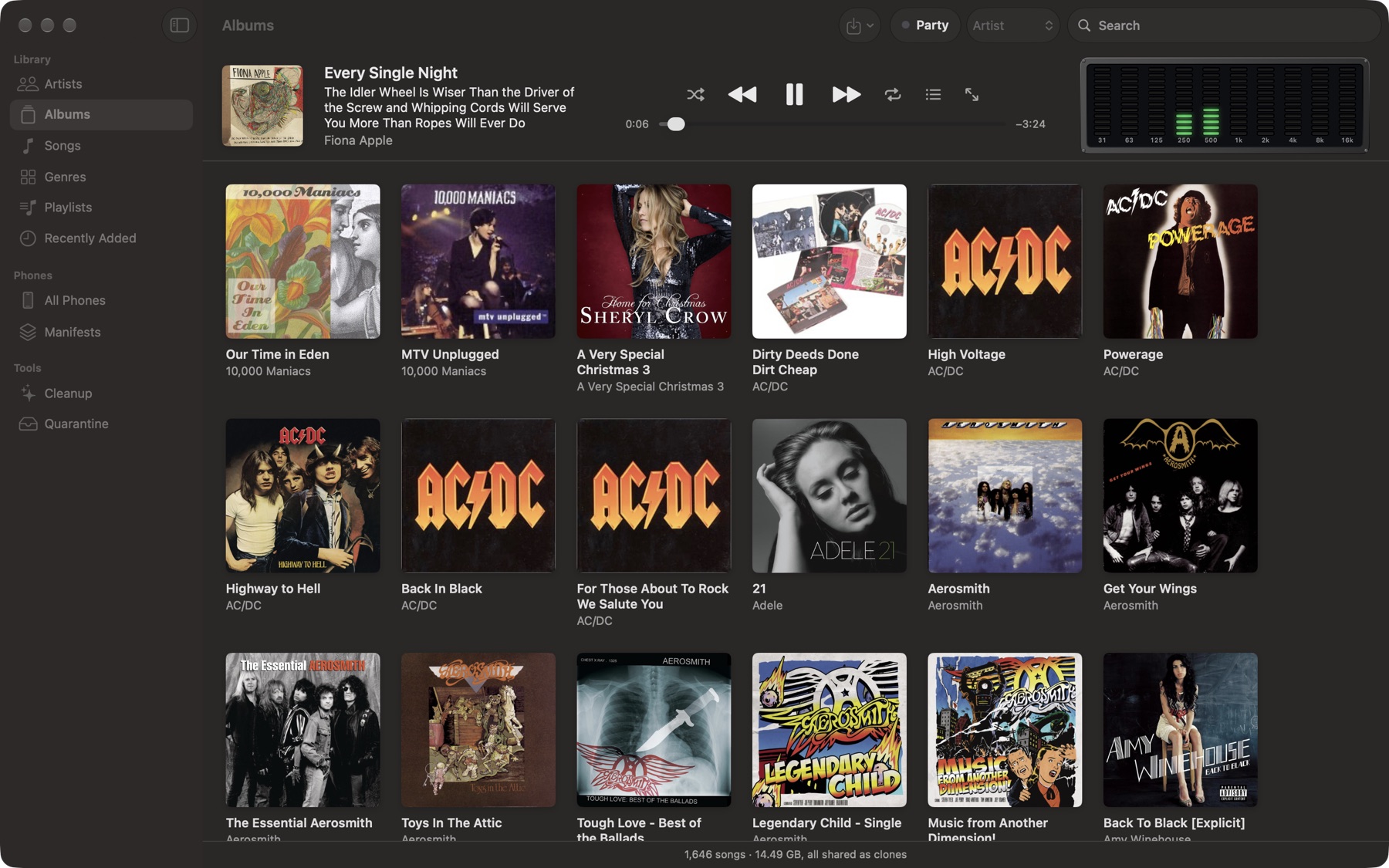
Müsick is an old-school music organizer for the Mac: your files, your tags, your library, kept in order. Its iPhone app plays from the phone itself, and always shows exactly what's playing: the whole title, the whole album, the artist.
4.7 MB · macOS 15 or later; the iPhone app needs iOS 17 or later
For the superfan
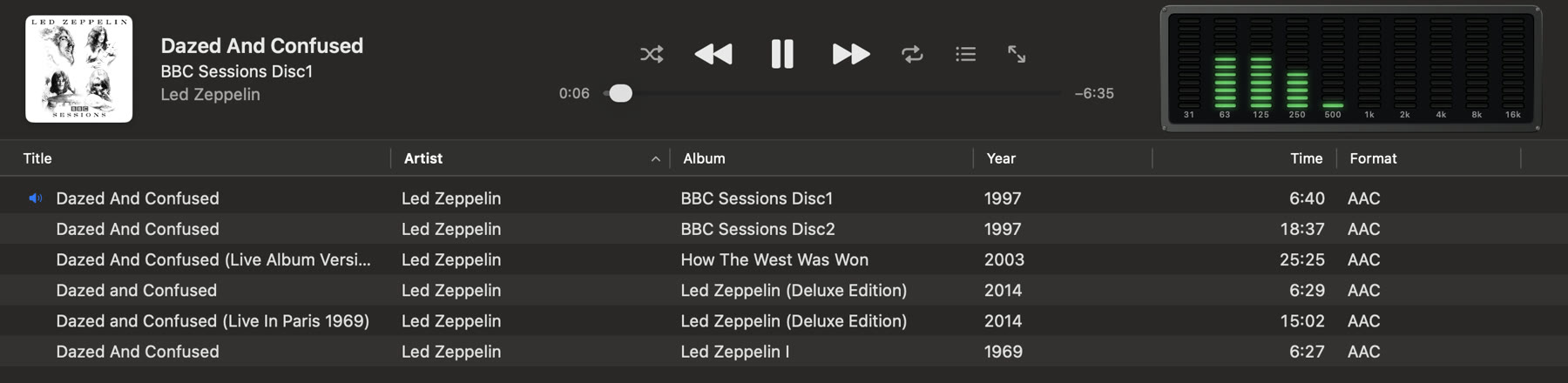
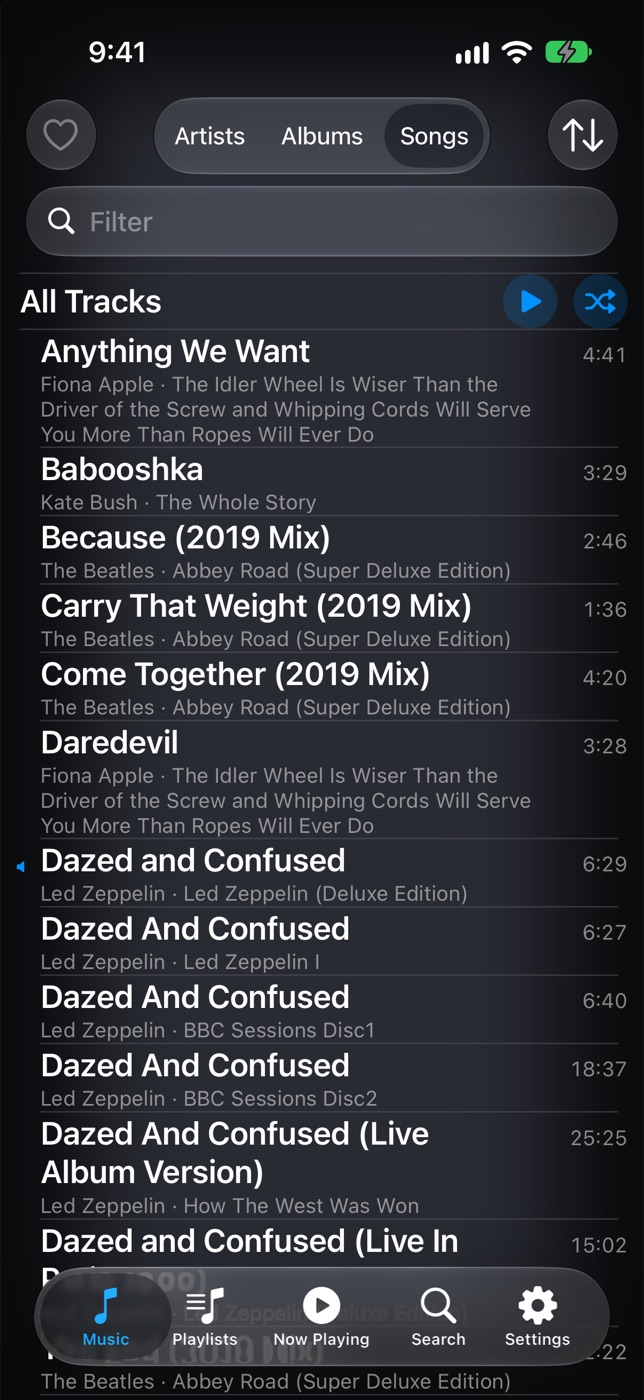
Six recordings of “Dazed and Confused”. Four remasters of the same album. A live track whose title is the date, the show and the venue. Most players cut that off at the first parenthesis, and you're left guessing which one you're hearing.
Müsick's Now Playing never does, on the Mac or on the phone: the whole title, the whole album and the artist, however long they run. And the library lists every version side by side with its album, year, length, format and bitrate, so you can play the one you meant.
Import
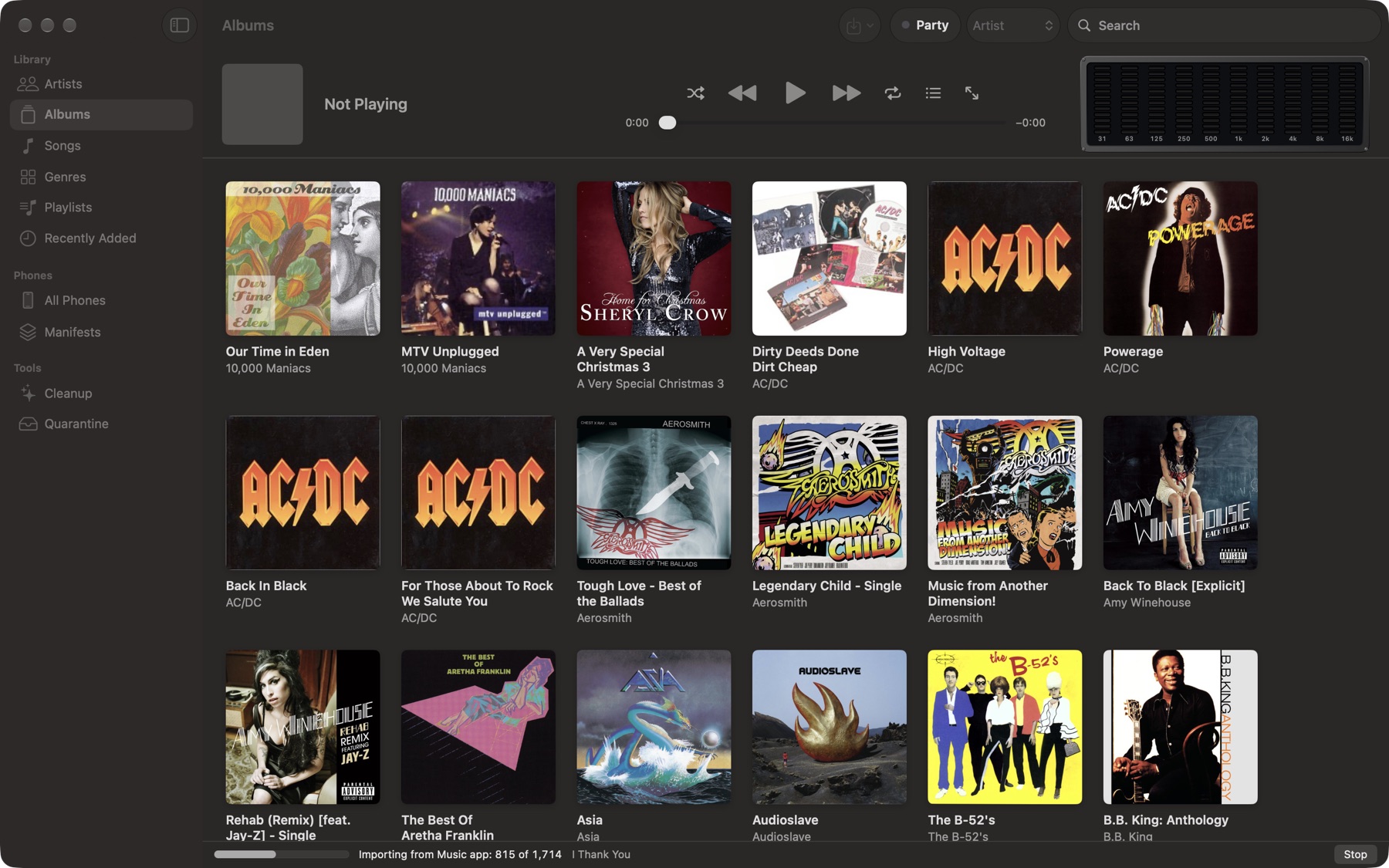
Your whole Music library in a minute, in almost no extra space
Müsick keeps its own copy of every song, filed as Artist/Album/01 Title in a folder you can open in the Finder. On a Mac, that copy is free: APFS clones the file instead of duplicating it, so the copy shares the original's disk blocks until one of them changes.
On our test Mac, a 1,640-song, 14.4 GB library from the Music app came in under a minute. The songs' copies took no space at all; the library's index and album art took about 120 MB.
Import from the Music app, from any folder or disk, or from the Müsick folder in iCloud Drive. Drag and drop works too.
- 1,640 songs
- 14.4 GB of music
- 45 s to import
- 0 bytes for the copies
Cleanup
Fix it once, and it stays fixed
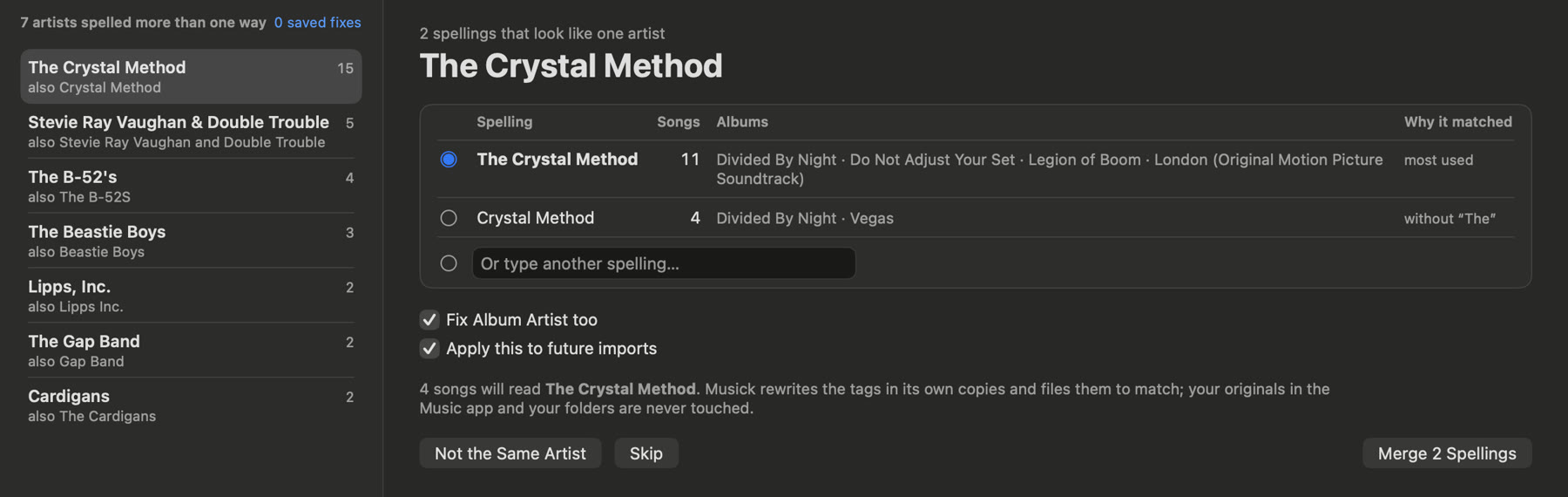
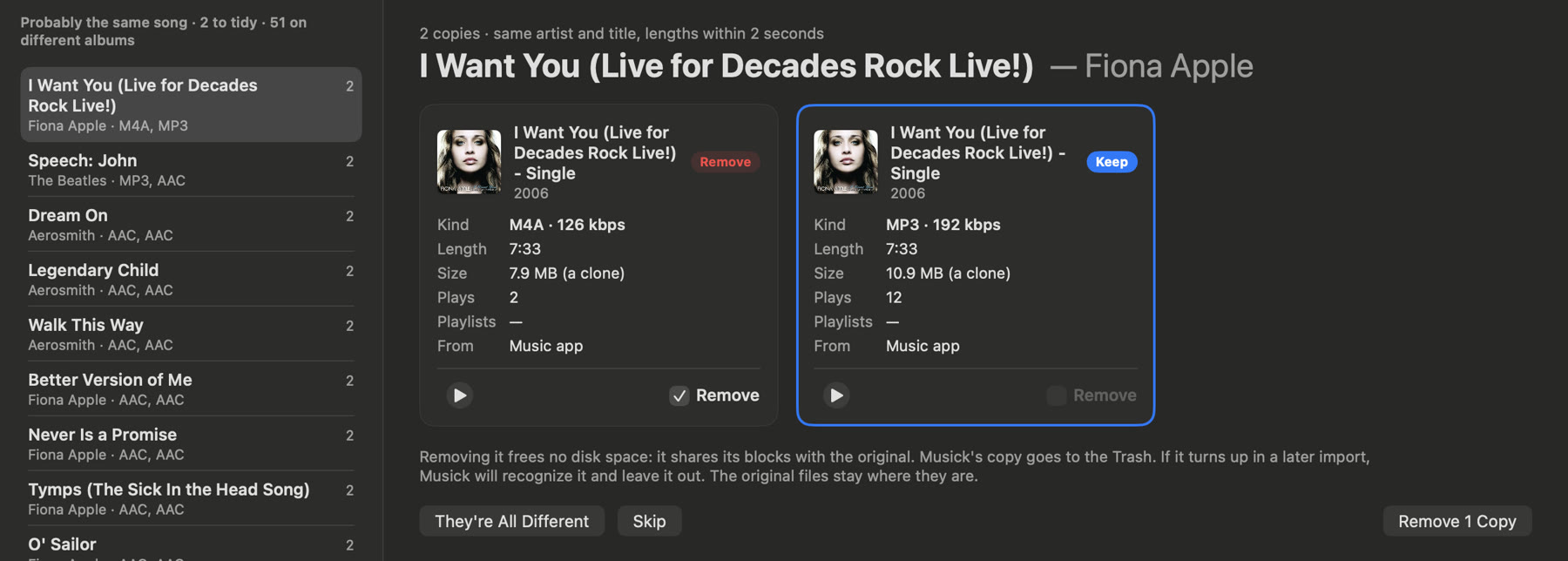
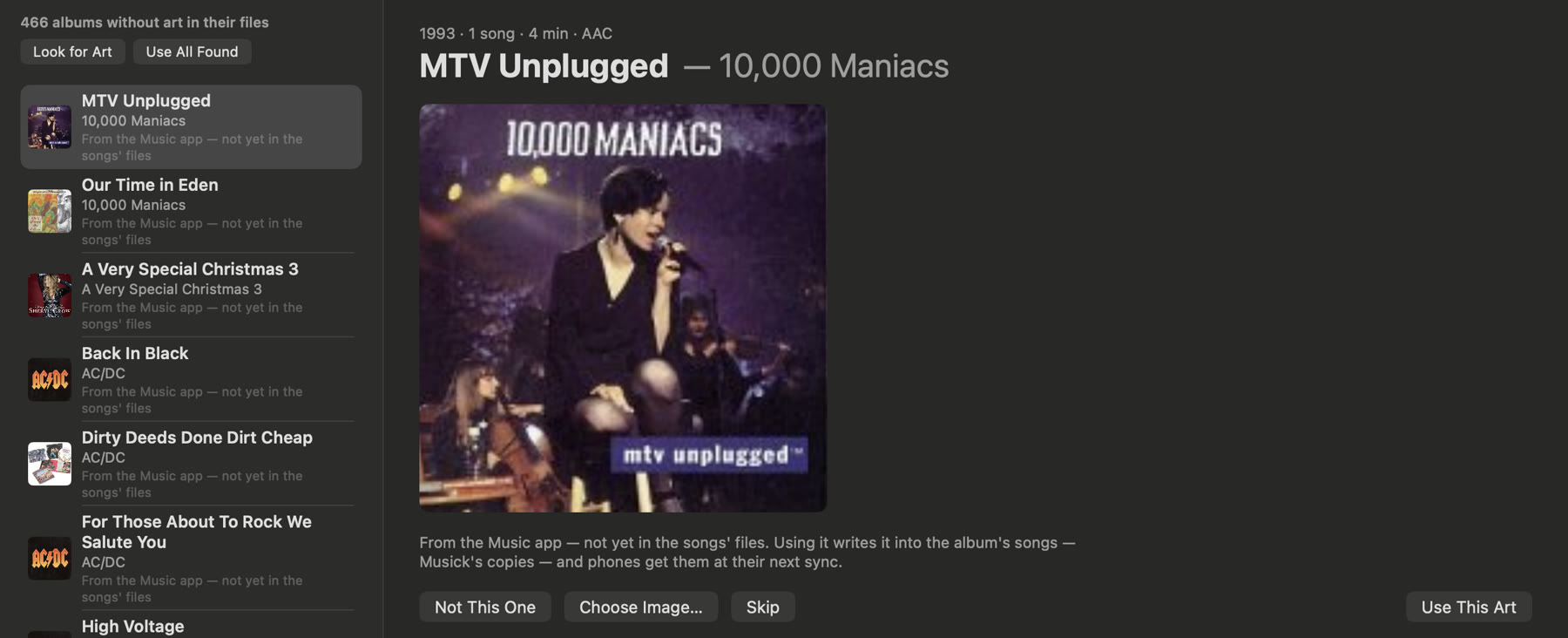
Cleanup finds what years of ripping and buying leave behind: an artist spelled three ways, an album split in two, the same song imported twice, albums with no art.
Each fix rewrites the tags in Müsick's own copies, never in your originals, and is saved as a rule, so the next import is fixed the same way. Say two things are different and it won't ask again.
The iPhone
Choose what goes on the phone. Press Sync.
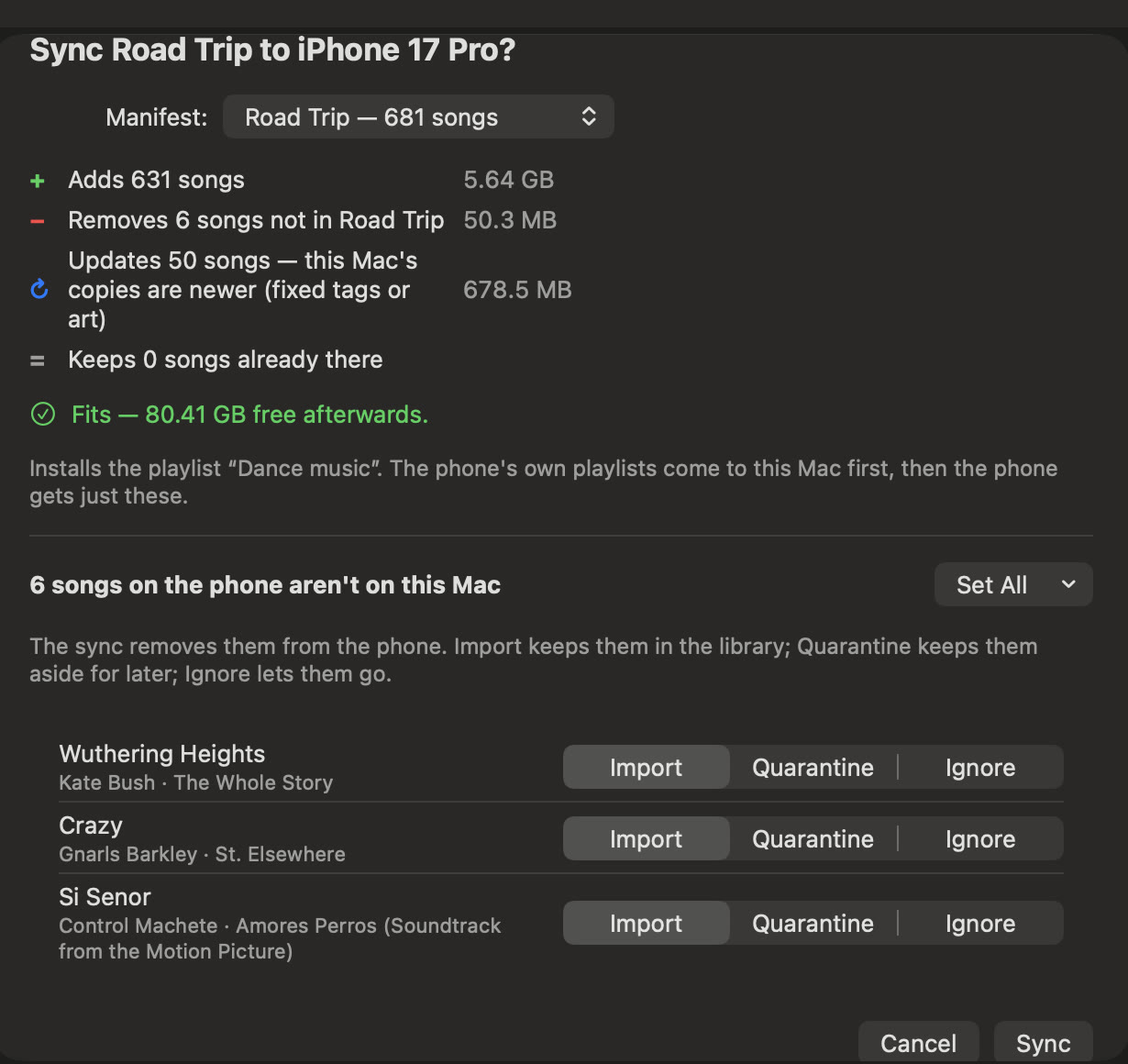
A manifest is a list of what a phone should hold: artists, albums, genres, playlists, songs. Make one for the car and one for running, and send either to any phone you've paired.
Before anything moves, Müsick shows what will be added and removed and whether it fits. Songs that are only on the phone come to the Mac first, if you want them.
Syncing runs over your own Wi-Fi, straight from the Mac to the phone, encrypted with a key the two made when you paired them. No cloud in between.
Watch it go
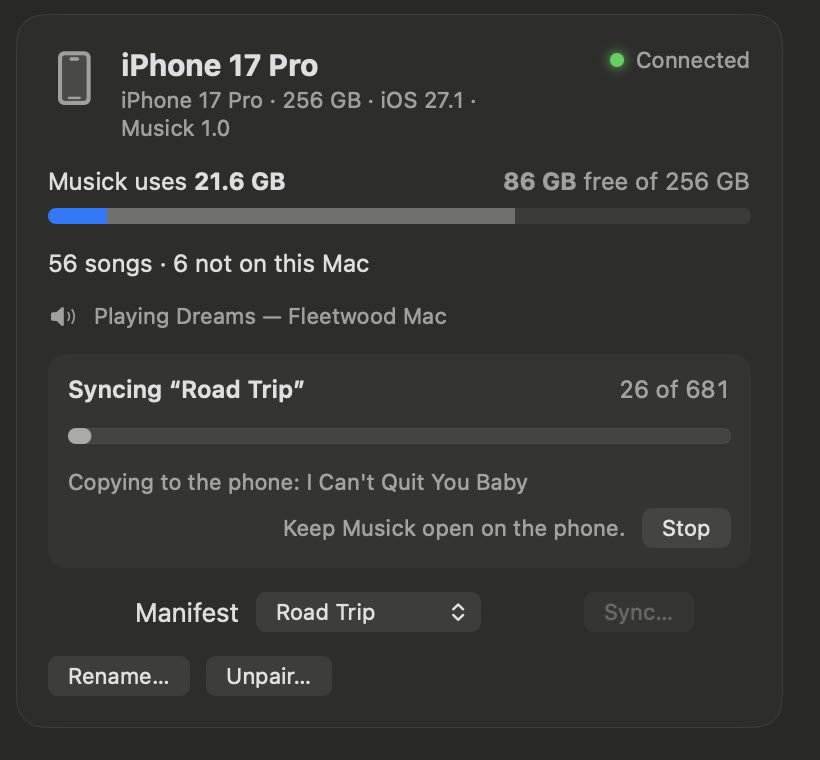
Each phone has a card on the Mac: how much room Müsick takes on it, what it's playing right now, and, while a sync runs, each song as it lands. Keep using the Mac meanwhile; stop any time, and the songs that already arrived won't be sent again.
Now Playing that tells you everything
The phone plays every song from its own storage, so nothing waits on a signal. Now Playing gives the top of the screen to the album art and a ten-band spectrum analyzer, and the rest to the words: title, album, artist, each wrapped onto as many lines as it needs.
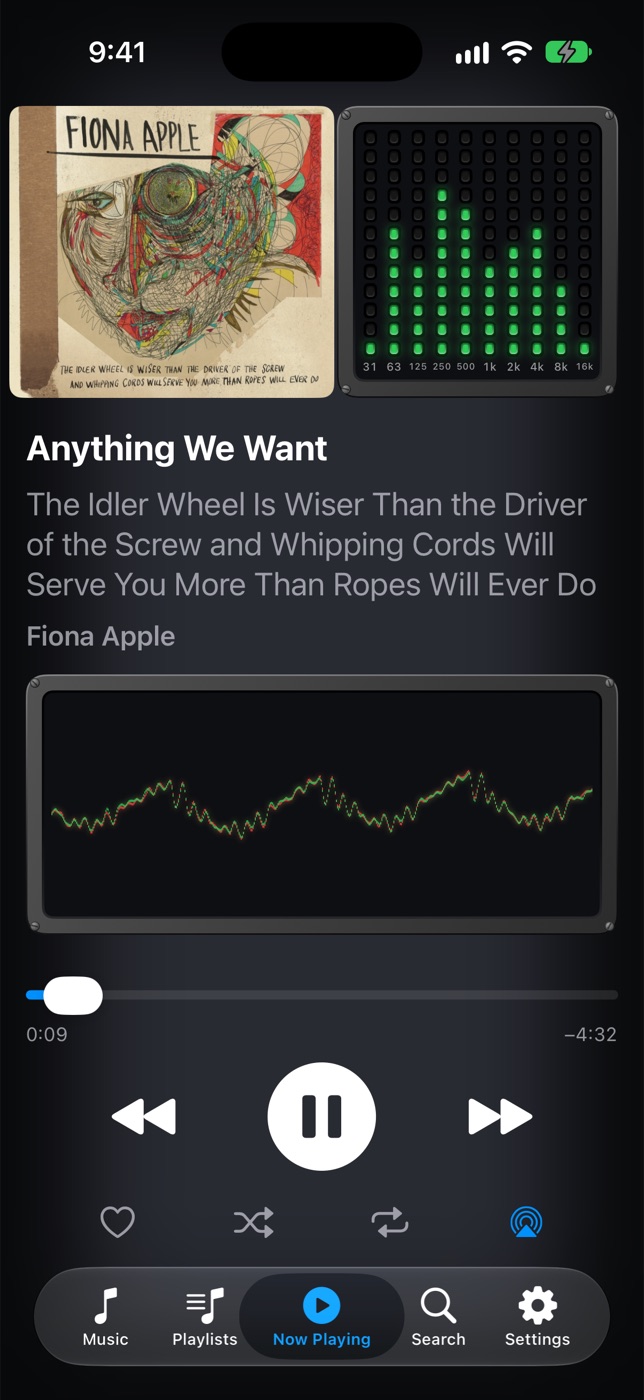
![Now Playing: Voodoo Child (Slight Return) [Live 10/10/68 1st Show, Winterland, San Francisco, CA], from Winterland [4]](/static/img/iphone-voodoo.jpg)
Gapless
Live albums and DJ mixes play straight through. The next song is lined up to the sample where the last one ends, on the Mac and on the phone.
Party mode
Let guests pick songs without wrecking your queue. Anything they choose goes into a party queue that plays in order, and the music never stops to make room.
Plain files, always
Your music is ordinary audio files in ordinary folders: MP3, AAC, ALAC, FLAC, WAV, AIFF. Nothing is locked in a database you can't read without Müsick.
Your library deserves better than a guess.
Download Müsick 1.0.04.7 MB · macOS 15 or later; the iPhone app needs iOS 17 or later