 Müsick
Müsick for Mac
A music library, kept the old way
No streaming catalogue mixed in, no recommendations, no cloud locker. Just the music you own, filed properly, tagged properly, and played well.
4.7 MB · macOS 15 or later; the iPhone app needs iOS 17 or later
Import
Bring everything in, without filling the disk
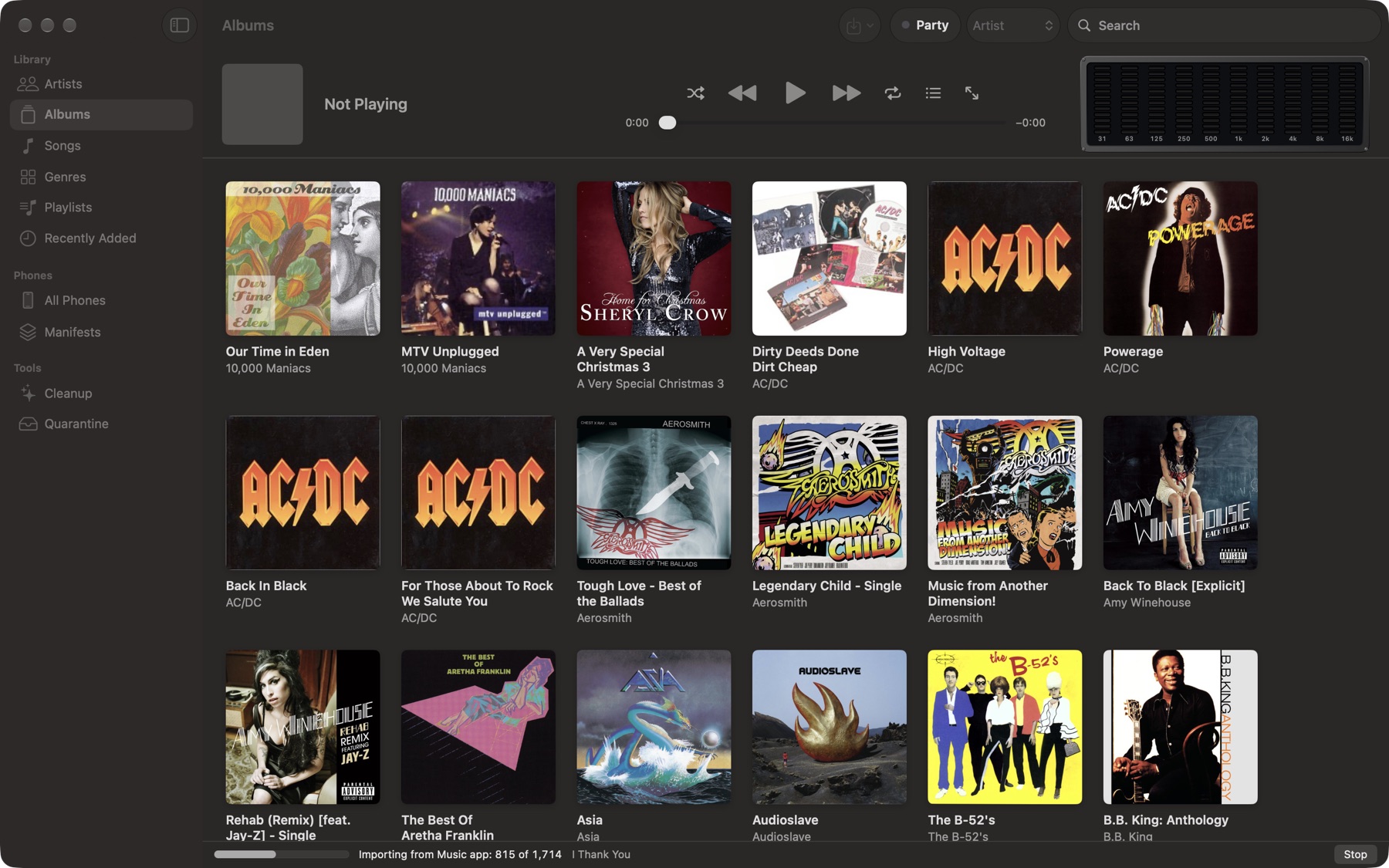
Müsick imports from the Music app's library, from any folder or disk, from the Müsick folder in iCloud Drive, or from whatever you drop on its window. Each song is copied into ~/Music/Musick, filed as Artist/Album/01 Title.
On the same disk, that copy is an APFS clone: a second name for the same blocks, made in an instant, taking no space until one side changes. A 14 GB library imports in under a minute and uses about 120 MB, all of it the index and the album art.
Music on another disk can't be cloned, so Müsick says how much room a real copy needs before it starts, and asks.
One song, however it's found
A song is known by its audio, not its tags. Find the same recording in the Music app and in an old folder, and it's one song in the library, with both places remembered.
Your originals stay put
Müsick only ever reads your Music app library and your folders. Fixing a tag changes Müsick's copy alone, and APFS writes just the changed blocks for it.
Rescans are quick
Every file is remembered with its size and date, so importing the same folder again only looks at what's new.
Browse
Artists, albums, songs, genres
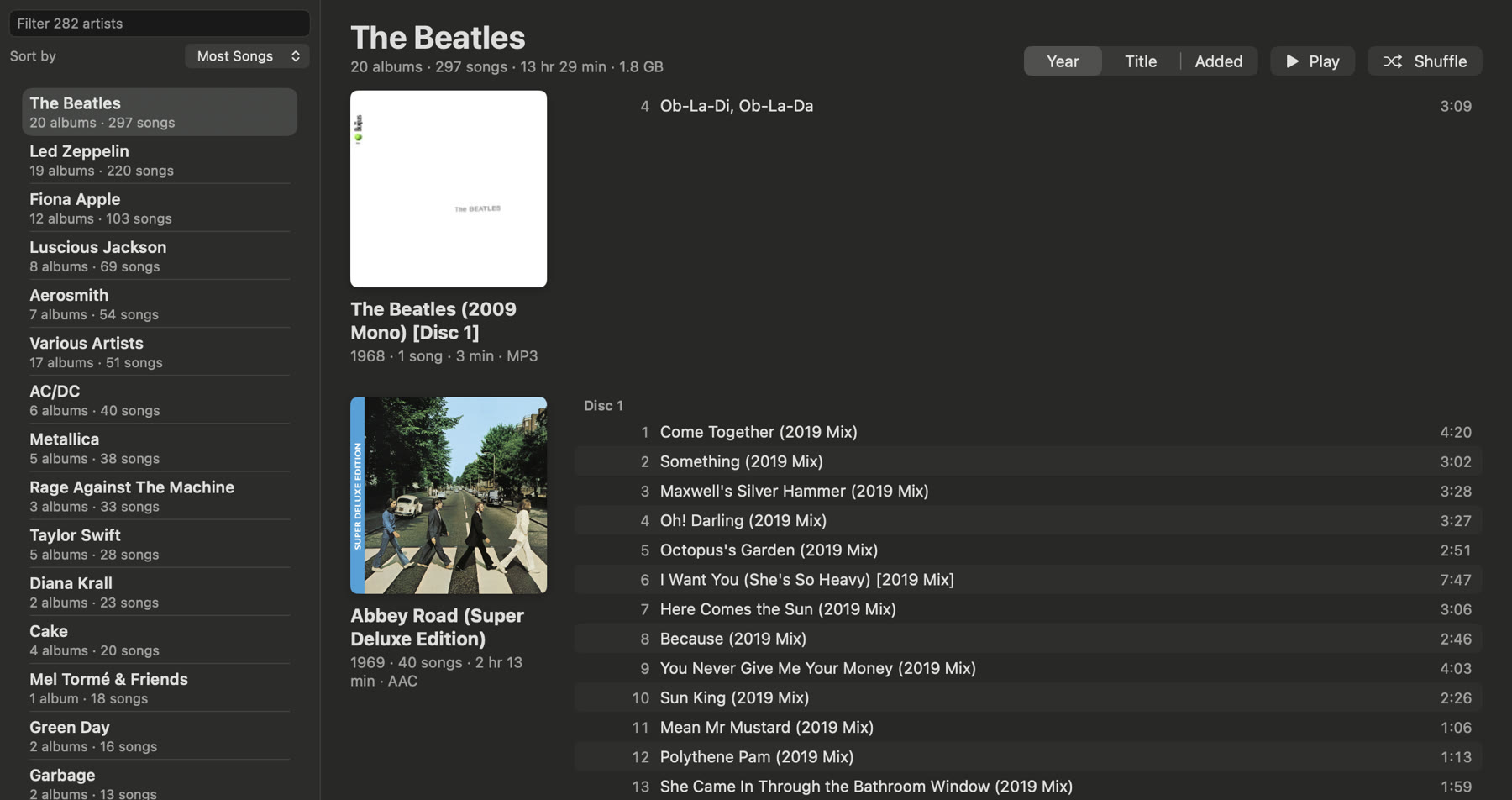
Artists sorted by name or by how much of them you have, with every album and its songs beside them. Albums as a grid of art. Songs as a table with year, format, bitrate, plays and date added, sortable by any of them. Search finds titles, artists and albums as you type.
Double-click plays. Every song and album has Play, Play Next and Add to Queue.
Cleanup
Names, duplicates and art, sorted for good
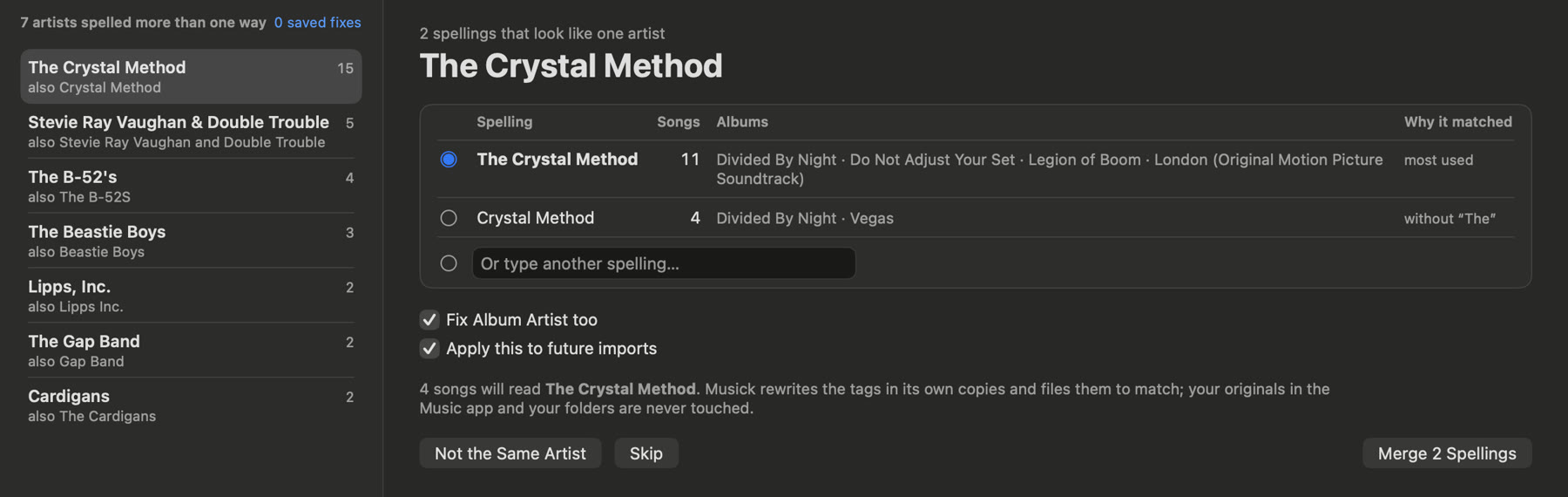
Artist and album names. “The Crystal Method” and “Crystal Method”, “B-52's” and “B-52S”: Müsick finds the spellings that look like one name, says why they matched, and merges them in one step. Albums split across two artist names are put back together.
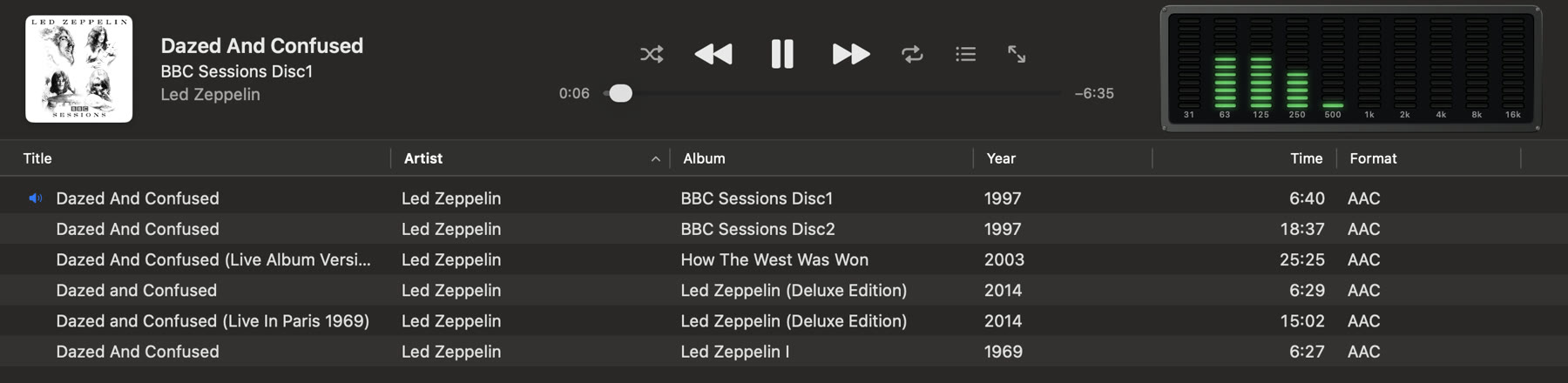
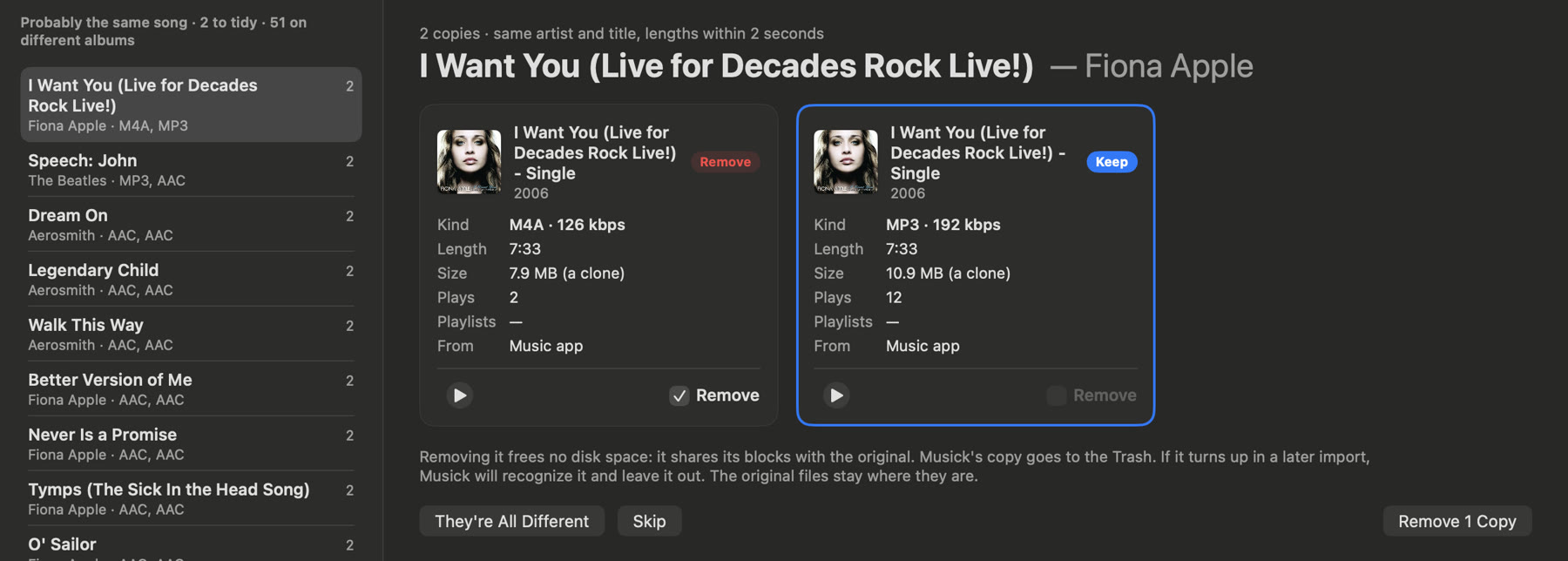
Duplicates. Copies of the same song, side by side with their format, bitrate, plays and playlists, so you keep the better one.
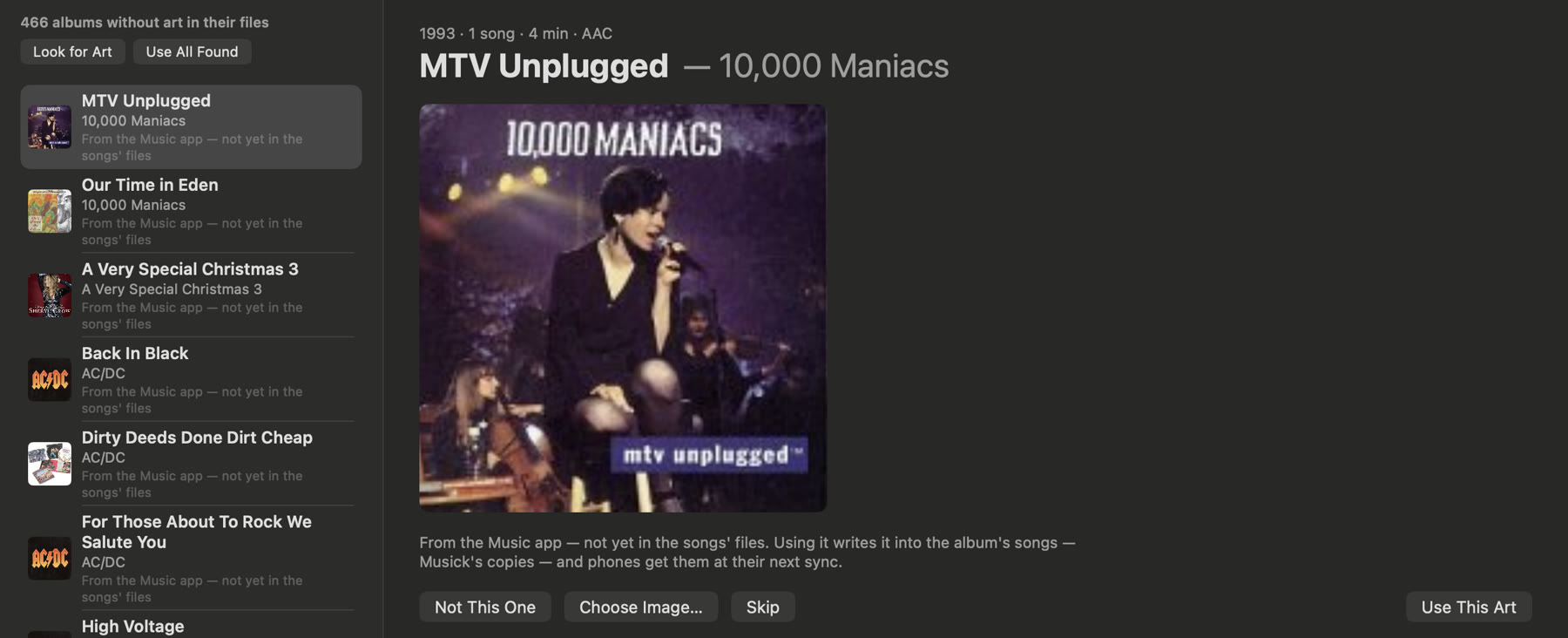
Missing art. Art from the Music app, from the album's folder, or looked up by artist and album name, written into the songs so it follows them to your phone.
Every fix is saved as a rule and applied to future imports.
Playlists
Your playlists came too
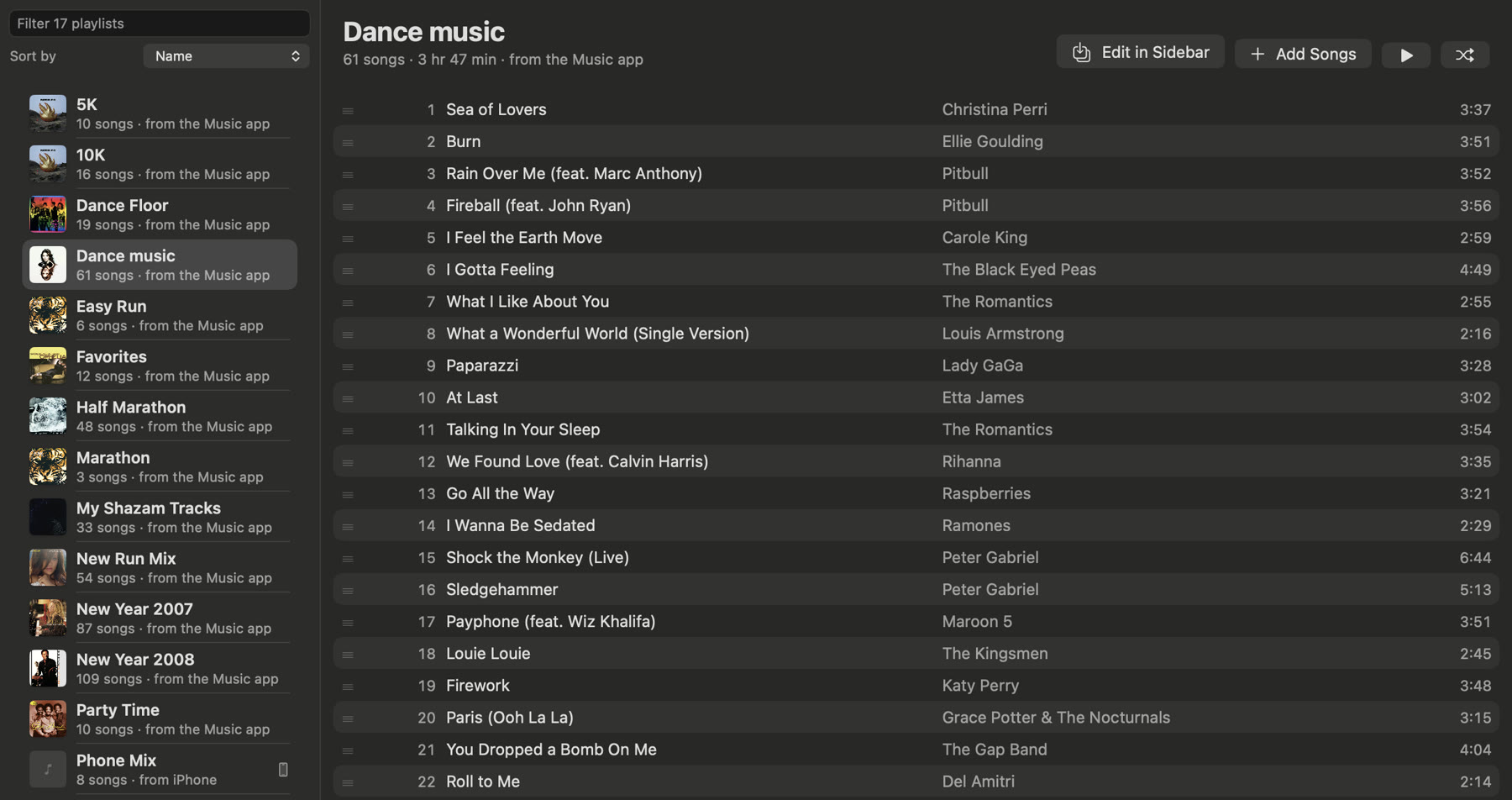
Playlists from the Music app come in with the songs. Make new ones, reorder by dragging, or turn on Edit in Sidebar and drop artists, albums and songs onto the playlist from anywhere in the library.
Party mode
Let the room choose
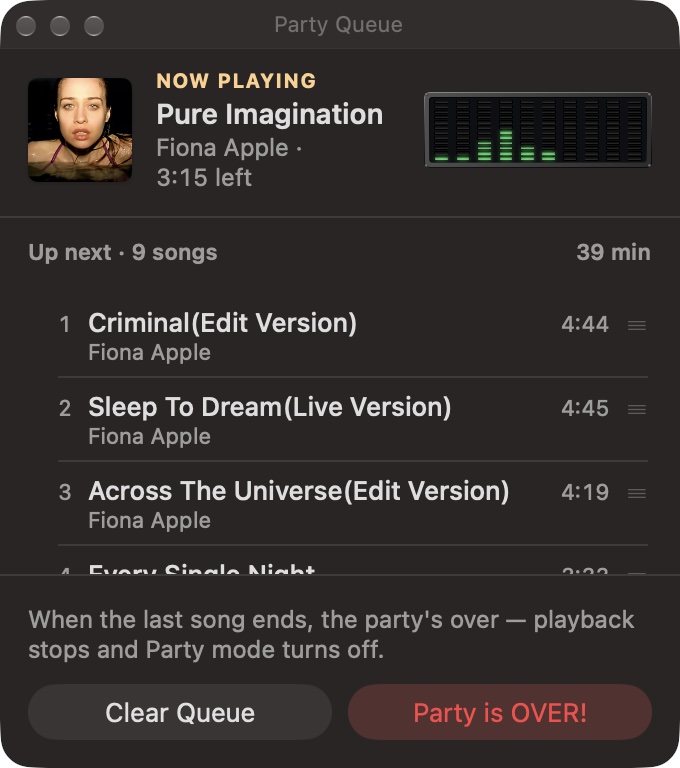
Turn on Party and anyone at the keyboard can add songs: double-click or Return puts a song in the party queue, Option plays it next. The queue floats in its own window and shows what's up next and how long it runs, and the music never stops to make room.
When the last song ends, the party's over. Its queue is kept for next time.
Phones
Manifests: what each phone should hold
Pair an iPhone once: turn on Open to Pair, and both screens show the same four digits. After that it connects whenever Müsick is open on both.
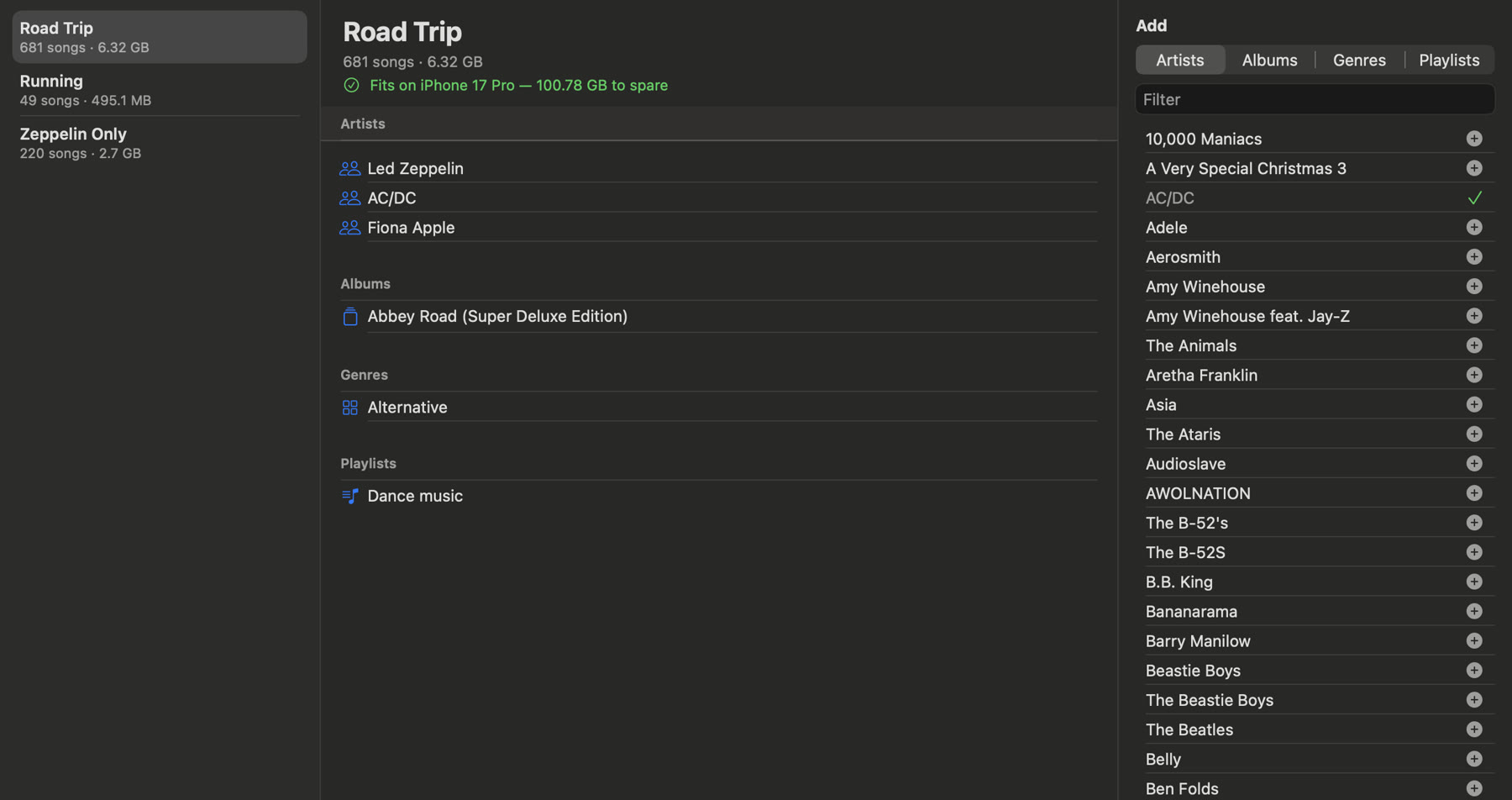
A manifest says what goes on the phone, by artist, album, genre, playlist or song, and stays up to date as the library grows. It shows its size and whether it fits before you sync. Pick a manifest, press Sync, and the phone ends up holding exactly that.
Gapless, sample for sample
The next song starts at the exact sample the last one ends. Live albums and mixes play the way they were mastered.
A meter worth looking at
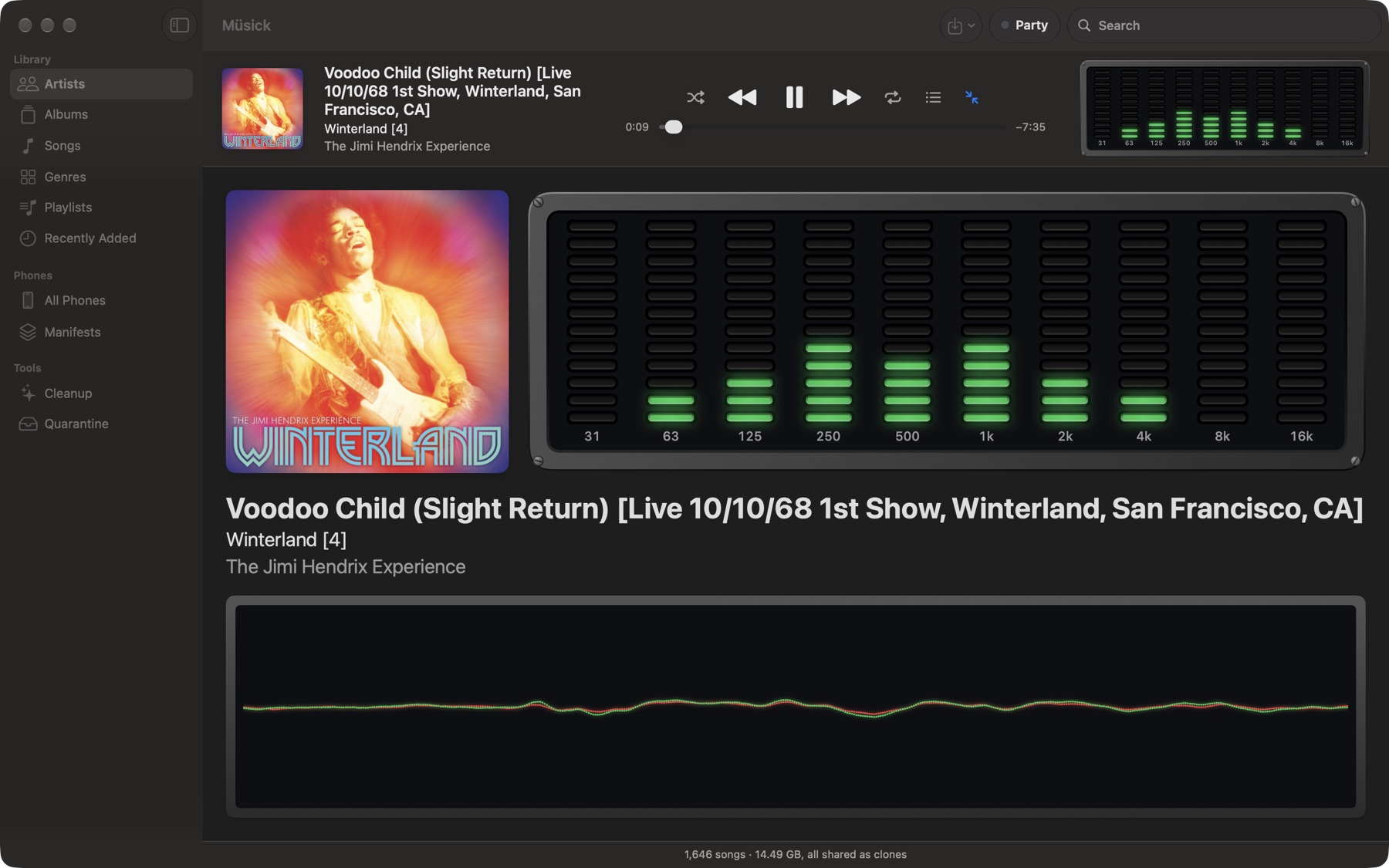
A ten-band spectrum analyzer from 31 Hz to 16 kHz, the same bands and response as the phone's, and an oscilloscope in the large Now Playing.
Keys that work
The media keys, Space to play and pause, and Now Playing in Control Center.
Bring your library home.
Download Müsick 1.0.04.7 MB · macOS 15 or later; the iPhone app needs iOS 17 or later